The BambooHR Slack integration lets employees submit time-off requests, check current and future balances, and look up who's out. Managers receive notifications for requests needing review. Those are useful employee actions, so evaluate the app as a real option for your existing BambooHR workflow, then test exactly where the manager's decision happens.
The 30-second version
- BambooHR's own app includes employee PTO actions inside Slack.
- Its public listings confirm manager notifications; verify the current decision action in your account.
- Installation and employee matching need attention from your admins.
- Distinguish BambooHR's app from custom automation built with other services.
- Keep a working BambooHR process if it meets your needs. Add a dedicated PTO workflow to solve a specific problem.
What does the BambooHR Slack integration do for time off?
BambooHR's Slack app brings employee requests, balance checks, and who's-out lookups into the collaboration app. Managers receive review notifications. It gives a team using BambooHR another route into its PTO process, while the underlying HR records remain in BambooHR. Test the approval step independently rather than inferring it from employee self-service.
BambooHR's official app announcement lists those employee actions, including future balance calculations and directory lookups. Its own Slack Marketplace description separates employee tools from manager notifications.
Here is a task-by-task checklist for evaluating the app. “Not documented” means the public listing does not establish that capability; it is a prompt for an account test.
| PTO task | What BambooHR documents | What to check in your account |
|---|---|---|
| Check a balance | Current balances and future-date calculations | Correct leave type and requested calculation date |
| Submit a request | New time-off requests from Slack | Correct employee, dates, and approver |
| See who's out | Lookups filtered by department, division, or location | Whether the result covers the group you need |
| Alert a manager | Notifications for requests needing review | Which approver receives the message |
| Approve or deny inside the message | Not documented in the public app listings | Whether a decision is saved in Slack or the action opens BambooHR |
| Provision a new user | User provisioning is explicitly excluded | Existing accounts and matching employee emails |
The important distinction is between an alert, an action that opens a form, and a completed decision. Write down which one the manager actually gets.
Set up BambooHR and Slack for a useful test
Start with your BambooHR admin and Slack workspace admin. BambooHR's own integration listing describes installation in both systems, matching employees by email, and support for a single BambooHR account connected to a single workspace.
- Confirm access. Ask the BambooHR admin to check that the app is available for your account and the workspace admin to handle the required installation approval.
- Connect the intended accounts. In BambooHR, start from Settings → Apps and follow the app's installation flow. Check that the workspace is the one employees actually use.
- Check employee matching. Use an active employee with the same email in both systems. Matching an existing user is different from creating their account.
- Test a balance and request. Open BambooHR in Slack, check the available commands, and submit an eligible test request using the correct leave type.
- Follow the manager's notification. Confirm routing, record where the decision occurs, then inspect the final request and balance.
If an employee cannot use the app, check account matching before changing the leave policy. A mismatched email and a wrong entitlement are separate problems, and fixing one will not fix the other.
Name someone to handle employee changes after installation. New hires, changed email addresses, and departures need a defined owner so the integration remains usable after the first successful test.
Can you approve PTO from Slack with BambooHR?
BambooHR's public app listings confirm notifications for managers, but do not establish an in-message PTO approval action. For operational planning, keep the existing BambooHR approval route available and test the current notification before promising a chat-only decision. Check the saved outcome as well as the destination of the button.
BambooHR's launch announcement describes alerting managers when requests are ready for review. The current marketplace description uses notification language too. Neither is a substitute for checking the action your manager sees today.
Use this acceptance test with an employee and the assigned approver:
- Submit an eligible request from Slack and save its confirmation.
- Open the manager's notification. Note whether any action records a decision immediately or opens a BambooHR page.
- Confirm that the request now has the expected decision and the correct employee record.
- Change or cancel the request through your supported process and verify the calendar and balance outcome.
For example, an office manager may be happy with requests in Slack and decisions in BambooHR because they already review other HR tasks there. A team whose approvals repeatedly wait on a separate inbox has a different requirement. Both can make sensible choices; the acceptance test makes the difference concrete.
Write a short rollout note
Tell employees what counts as a completed request and tell managers where to look. Adapt this process note after testing the actual approval route in your account:
Submit vacation through the installed BambooHR app and check that the dates and leave type are correct. Submission starts the review; wait for a recorded decision before treating the absence as confirmed. Your assigned approver checks coverage and records the outcome through our agreed approval route. Send changes through the same process so the original dates can be corrected. Contact our PTO process owner if the request has not reached the right approver or your final dates look wrong.
Keep the note beside your policy and include the process owner's name. A clear route for a missing request is more useful than telling employees to message several managers until someone responds.
Keep AI assistance and custom automation separate from PTO approval
BambooHR has added features beyond the original PTO commands. Its Ask BambooHR update describes answering HR questions using HRIS information and uploaded policy documents after the feature is enabled. Its Recognition update describes recognition actions and channel posts.
Those features deserve credit, but they answer different questions. Getting a policy answer does not submit a vacation request. Sending recognition from a message does not demonstrate that the same message actions exist for time-off decisions.
Apply the same distinction to a custom connector or automation recipe. Ask which product owns the workflow, who maintains it, and how a failed update is recovered. A message saying “Approved” is useful only when the leave record reflects the decision too.
For an ops lead, the practical question is ownership. If a workflow stops after a permission change, the person maintaining it needs a way to find the missed update and reconcile the record. Include that work when comparing a custom build with an existing app.
Decide whether a dedicated PTO workflow fits better
Keep BambooHR's app when it covers your team's everyday needs. Employees already have useful request and balance actions, and you avoid adding another place to administer leave.
Consider a dedicated workflow when a specific handoff fails repeatedly: managers miss decisions, employees cannot tell whether a request is approved, or colleagues cannot find the final dates. Describe the failure before shopping for a replacement.
Give any proposed tool the same test. Ask an employee to request leave, the manager to decide it, and the process owner to cancel it. Compare the record at each stage and identify any duplicate entry. A shorter demo is less useful than a process that stays correct when plans change.
The broader PTO policy guide for small business helps settle ownership and decision rules before a tool change. Keep that policy stable during a pilot so you can evaluate the workflow itself.
How Cabana fits alongside BambooHR
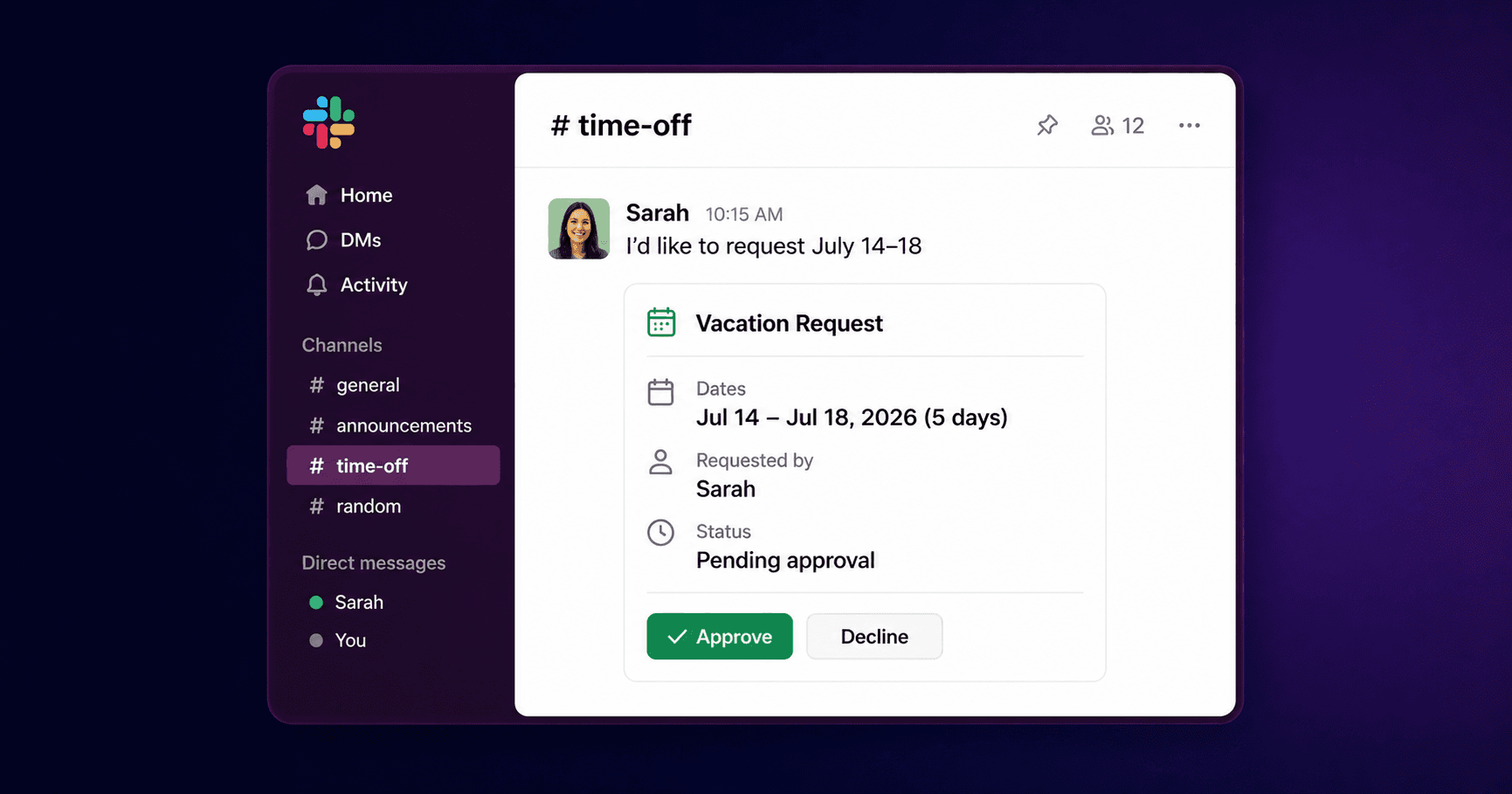
Cabana puts PTO requests, manager decisions, and balance checks inside Slack, connected to PTO tracking software for small teams. Employees use /pto request; the assigned manager receives Approve and Deny buttons in the request DM. The PTO tracking in Slack reference shows the complete workflow.
If you keep BambooHR for broader HR records, set up a deliberate handoff:
- Choose the PTO system of record. Say where requests are submitted and which system owns the balance.
- Reconcile the starting position. Have your admin check allowances, used time, pending requests, and future approvals before switching the pilot group.
- Assign any second-system updates. Plan a manual handoff for leave information BambooHR still needs. Do not make employees guess whether they must request the same dates twice.
- Test changes and cancellations. Check both records whenever data is maintained in both places.
Cabana's help center does not document an automatic BambooHR sync. Treat that handoff as an admin responsibility when evaluating the extra work. Choose the setup when the improved daily workflow is worth maintaining it.
For a Microsoft 365 team, PTO tracking in Microsoft Teams provides requests, approvals, and who's-out visibility inside Teams.
Keep reading
A manager's checklist, plus what happens when you're out.
PTO tracking in Slack →Request, approve, and see who's out without leaving Slack.
How to track vacation time in Slack →The workflow, step by step.
PTO policy guide for small business →The complete walkthrough, start to finish.
How Cabana handles this
Make the PTO decision where the request arrives.
Employees request time off and managers approve or deny from the message in Slack or Microsoft Teams, with a shared record of who's away.
30 days · No credit card