The 30-second version
- When PTO tracking lives outside Slack, people skip the process — requests get missed, approvals stall, coverage gaps catch you by surprise.
- There's a meaningful difference between tools that integrate with Slack (notifications only) and tools that are built for Slack (the whole workflow lives there).
- Slack-native PTO tools like Cabana require no separate login — employees request time off, managers approve it, and the whole team sees who's out, all inside Slack.
- Setup takes an afternoon: add Cabana, configure your leave types and approval flow, point it to the right channels, invite your team.
- The best PTO process is one people actually follow — and they will if it's already where they work.
Your team lives in Slack. Announcements go there. Questions get answered there. Projects get coordinated there. So why does PTO tracking still happen somewhere else?
For most small businesses, vacation tracking is a patchwork: an email to HR, a note in a shared spreadsheet, maybe a form buried inside an HR platform nobody logs into unless they have to. It works — until it doesn't. Someone's PTO gets missed. A manager doesn't see a conflict. A new hire doesn't know how to submit a request.
If your team is already in Slack every day, tracking vacation time there just makes sense. Here's how to do it.
Why Slack Is the Right Place to Manage PTO
Small teams don't need enterprise HR software. They need simple tools that fit into how they already work.
When PTO tracking happens outside Slack, there's friction at every step: employees have to remember a separate login, managers have to check another platform, and checking who's out takes even more effort. So people skip the process, approvals get delayed, and coverage gaps catch you by surprise.
When PTO tracking lives in Slack, the friction disappears. Requests happen where employees already are. Approvals reach managers immediately. And everyone on the team can see who's out without switching context.
For small businesses especially — where one person being out can meaningfully affect the whole team — that visibility matters.
Slack Integration vs. Slack-Native: What's the Difference?
Not all Slack-based PTO tools work the same way. There's an important distinction between a tool that integrates with Slack and one that is built for Slack.
Slack integrations are bolt-ons. You use BambooHR, Flamingo, or Vacation Tracker as your system of record — and those tools send notifications into Slack. Employees might get a Slack message when a request is approved, or a weekly digest of who's out. But the actual work — submitting a request, reviewing it, checking balances — still happens in a separate app. Slack is just a notification channel.
Slack-native tools are different. The entire workflow — request, approval, balance check — happens inside Slack. There's no separate dashboard to log into. No context-switching. No "click here to view in the app." Everything stays in the place your team is already working.
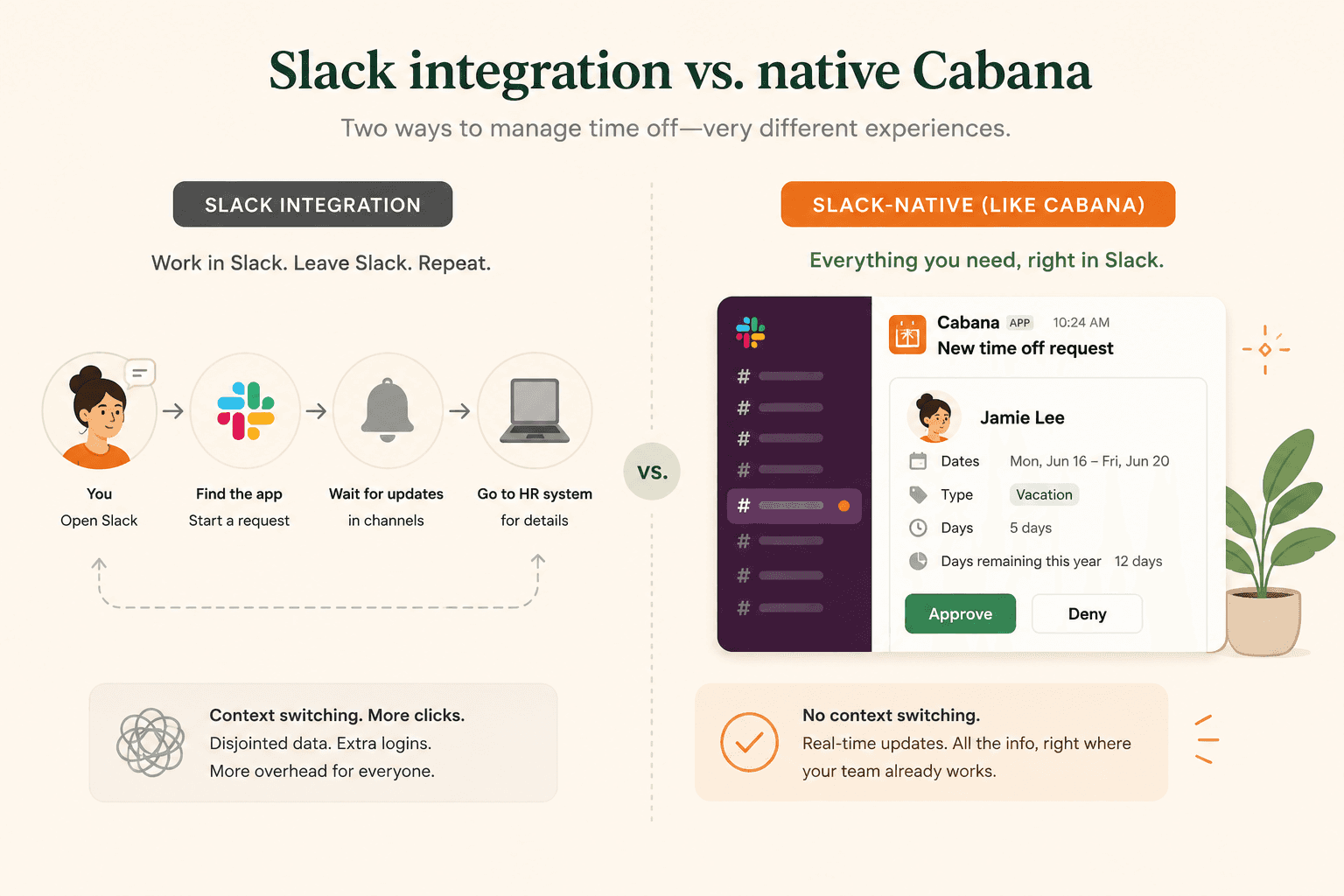
Cabana is built Slack-native. Employees submit PTO requests through Slack. Managers approve them through Slack. The whole team sees who's out through Slack. That's not a marketing claim — it's a design decision that affects how often people actually use the tool.
How Cabana Works Inside Slack
Here's what the day-to-day experience looks like for each person on your team:
For employees:
- Submit a PTO request directly in Slack — no form to fill out elsewhere
- Check your remaining balance without leaving the app
- Get notified in Slack when your request is approved or denied
For managers:
- Receive PTO requests as a Slack message with one-click approve or deny
- See upcoming time off across the team in a shared Slack channel
- No separate inbox or dashboard to monitor
For the whole team:
- A shared view of who's out and when, visible inside Slack
- Automatic updates when new time off is approved
- No more "wait, is Alex out this week?" moments in standups
The entire workflow is self-contained. If someone on your team knows how to use Slack, they know how to use Cabana.
Channels
Apps
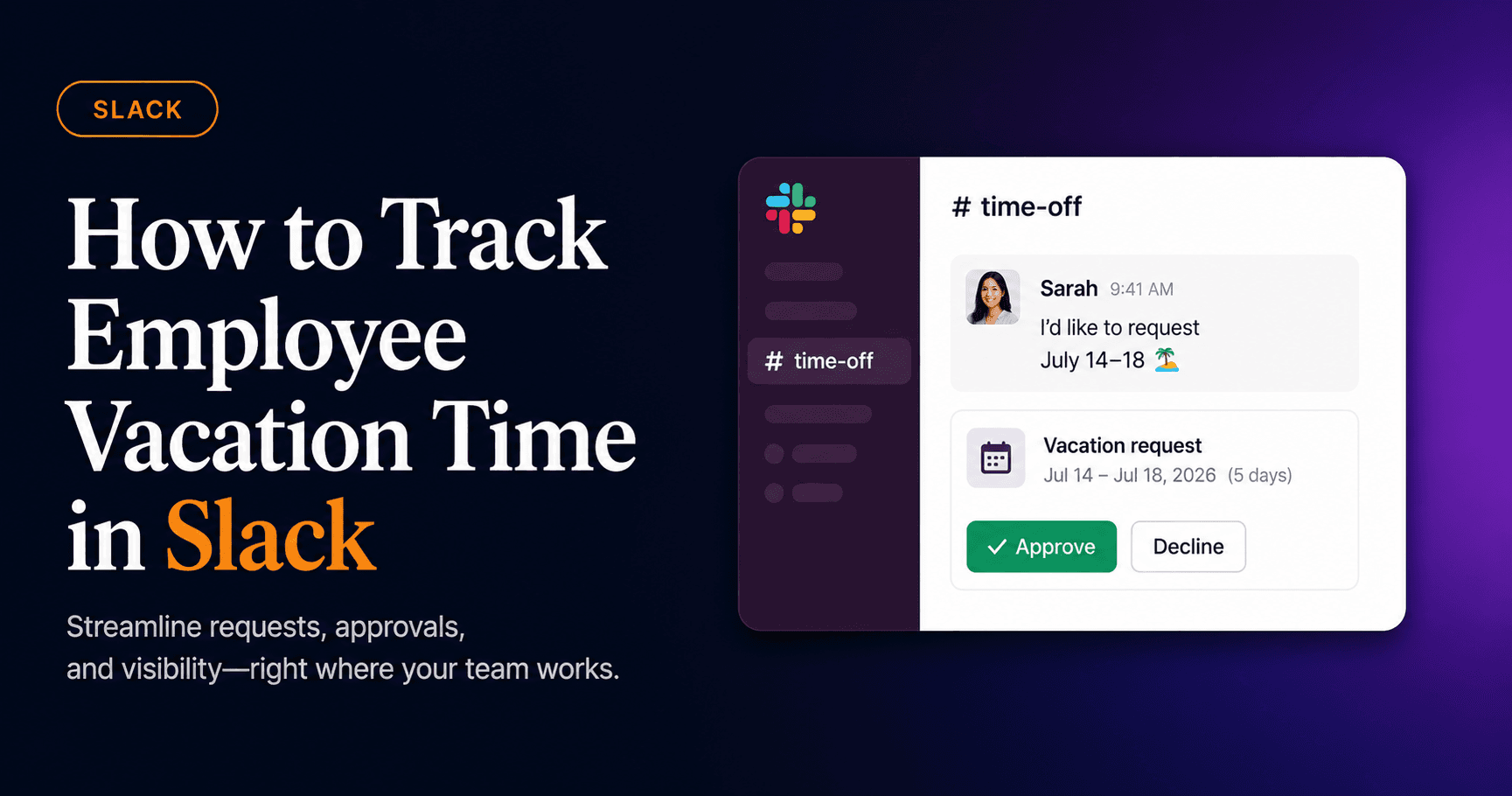
Hey @Cabana, I'd like to request vacation July 14–18 🏖️
New PTO request for James (Manager) to review:
Vacation Request — Sarah Chen
Date range
Jul 14 – Jul 18
Duration
5 days
Leave type
Vacation
Balance after
8 days left
Approved — enjoy the time off, Sarah! 🎉
Step-by-Step: Getting Set Up with Cabana in Slack
Getting started takes less time than most people expect. Here's how to go from zero to a working PTO system in Slack.
Step 1: Add Cabana to your Slack workspace
Go to cabanapto.com and click "Add to Slack." You'll authorize Cabana to access your workspace — so it can send and receive messages for your team.
Step 2: Configure your PTO policy
Once Cabana is connected, set up your leave types (vacation, sick leave, personal days, etc.) and define how many days each employee is allotted per year. You can also set whether PTO accrues over time or is available upfront.
Step 3: Set up your approval flow
Tell Cabana who approves time off for each team member. Approvals can be routed to a direct manager, an HR point of contact, or a specific person — whatever matches how your team already works.
Step 4: Add Cabana to the right channels
Point Cabana to the channels where your team should see time-off updates. A shared team channel works well for visibility. Managers can get requests in a dedicated approvals channel or via direct message.
Step 5: Invite your team
Send a quick message to your team letting them know PTO requests now happen through Slack. Cabana will walk employees through their first request — no training session required.
That's it. Most teams are fully set up within an afternoon.
How Cabana handles this
PTO tracking that lives where your team works.
Cabana is Slack-native vacation tracking for small teams. Add it to your workspace in minutes — no separate app, no IT ticket, no training session.
30 days · No credit card
Stop Managing PTO Outside the Tools Your Team Uses
The best HR process is one people actually follow. If your team is in Slack, your PTO system should be there too.
Cabana keeps vacation tracking where it belongs: in the same place your team already communicates, without the overhead of another platform to manage.